
A drive-thru is a carefully choreographed system where time is critical, and the right technology stack turns a simple car order into a smooth, fast experience for both the customer and the crew. Here’s how a modern drive-thru operates from the moment a car enters the lane, all the way through the headsets, point-of-sale, digital menu boards, and camera system.
- Car Enters the Drive-Thru Lane: When a vehicle pulls into the drive-thru, the first thing that usually happens is detection. Many drive-thrus use underground loop kits or motion detectors that trigger the communication system as soon as the car is over the “pad.” This can turn on the outdoor menu board (if it’s set to sleep when idle, which is rare), alert the kitchen or order taker that a customer is approaching, and start the drive-thru speed-of-service timer, which works to track how long the order takes from start to finish. Some advanced systems also use computer vision or surveillance cameras to track which lane the car is in and how far back it is in the queue, helping staff anticipate the next order.
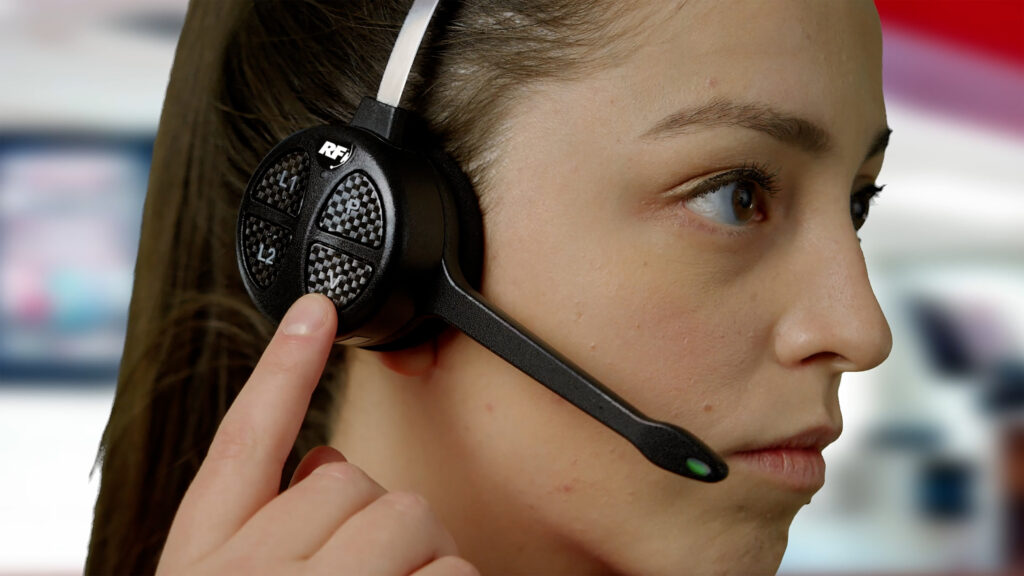
- Order Placement at the Microphone: At the order station, the customer speaks into a speaker post’s microphone and the order taker hears the through their drive-thru headset inside the restaurant. The headset system is a two-way intercom with noise-cancelling features so the staff can hear clearly, even with kitchen noise and traffic sounds outside. As the order taker repeats the order back to the customer, they simultaneously enter it into the point-of-sale system. This is where the “domino effect” begins: the order appears instantly on the kitchen display systems so the cooks and prep staff know what to make. The drive-thru timer begins counting from the moment the order is entered. Inventory is deducted in real time, and any out-of-stock items can be flagged or hidden from the menu board display.
- Menu Board Integration with Point-of-Sale: The drive-thru menu is no longer just a static sign; it’s a fully dynamic and digital screen tightly integrated with the POS and back-office systems. It connects with real-time pricing and menu changes–when the prices or menu items are updated in the POS, the menu board automatically reflects those changes across all locations (often via a cloud-based digital signage platform). Dayparting allows for the board to show breakfast items in the morning, lunch at midday, and dinner options in the evening, based on the restaurant’s unique schedule. Promotions and upselling are integrated through POS or marketing system, which can push limited-time offers, combo deals, or add-on prompts (like “Add fries for $1?”) directly onto the screen the customer is looking at. If an item is out of stock, inventory-driven content and POS can tell the menu board to gray it out so customers don’t order something unavailable. The order taker also typically sends a confirmation screen to the drive-thru menu board so the customer can see their order, quantities, special requests, and total price before they drive forward in the drive-thru lane.
- Payment and Order Confirmation: After the order is taken, the customer drives to the first window, which is the payment window. At this point, the POS shows the order details and total, and the cashier processes the payment (cash, card, mobile wallet). The system then marks the order as “paid” and routes it to the pickup window. In some restaurants, the drive-thru surveillance camera takes a digital photo of the car when the order is rung up, so the staff at the pickup window can easily match the car to the correct corresponding order.
- Role of Surveillance Cameras: Surveillance cameras play several key roles in today’s drive-thrus with lane monitoring. Lane monitoring includes an overhead or side cameras to let staff see how many cars are in line at any given time, which lane each car is in, and how far back the queue extends. In multi-lane drive-thrus where lanes converge, cameras are needed for order matching, helping the staff identify which car belongs to which order, reducing mix-ups, often with computer vision. Footage is also used for security and training purposes, dispute resolution, and coaching staff on order accuracy and service speed. Cameras can also be used to verify when a car actually reached the pickup window, helping to fine-tune drive-thru performance metrics with timer verification.
- Order Preparation and Delivery: Once the order is in the POS, the kitchen receives it via the kitchen display systems that show tickets in sequence, often with timers and priority flags, as well as printers that still generate a physical ticket for certain items (like drinks or desserts). Staff prepare the food, bag it, and stage it at the pickup window. When the customer arrives, the POS shows the order as “ready” and “paid,” and the staff hands over the food to the correct customer. The drive-thru timer stops and the restaurant captures various metrics including order time, prep time, and total cycle time.
The Drive-Thru “Domino Effect” in Action
Here’s how the pieces chain together once the car is detached:
- Car triggers sensor -> menu board powers on and shows current menu.
- Customer speaks into mic -> order taker hears via headset and enters order into POS.
- POS entry -> kitchen display system shows the order, timer starts, inventory updates, and menu board can show the order confirmation.
- Payment at first window -> POS marks order as paid and routes it to pickup.
- Cameras track car -> staff match vehicle to order at pickup window.
- Order delivered -> timer stops, and performance data is logged for speed-of-service reporting.
Why Integration Matters
When the headset, POS, menu board, and cameras all talk to each other, the drive-thru becomes faster, more accurate, and easier to manage. Benefits include:
- Fewer order mistakes and voids.
- Faster service times and better customer satisfaction.
- Real-time menu control (with pricing, promotions, and out-of-stock items).
- Better labor management and performance reporting.
For QSR operators, investing in a fully integrated drive-thru system isn’t just about advanced technology, instead, it’s about creating a seamless, profitable customer journey from the moment the car enters the lane. Need help with any of these tools? Connect with us today at RF Drive-Thru, and let an expert answer all your questions.